
01Website builder
Build your website with drag and drop, and let enquiries land in your CRM
Start from a template or a blank page, drag ready-made sections into place, check the page, and publish. Messages sent through your site arrive in the same workspace as your customers.
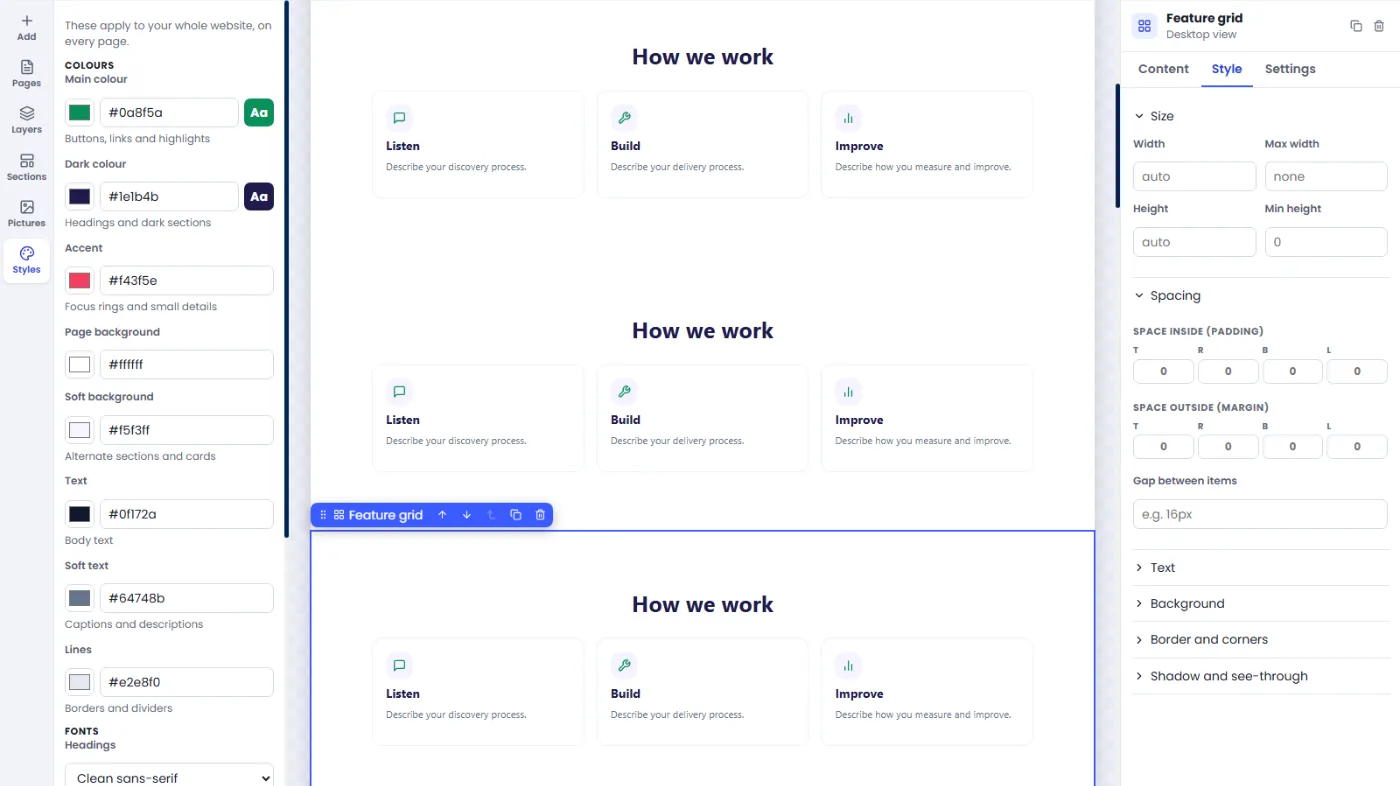
What is the website builder?
The ZimraStudio website builder lets you make and publish a business website without writing code. You drag ready-made sections onto a page, change text and pictures directly on the page, run checks, and publish. Forms on your site send enquiries to an inbox and into the CRM.
Who is it for?
- Small businesses, clinics, schools and NGOs that need a clear site and a contact form
- Agencies that build and look after sites for several clients
- Teams that want site enquiries to reach the same people who handle customers
Edit the page itself
A visual editor with 59 ready-made sections
Click anything on the page to change its text, picture, colours and spacing, or drag a section in from the library. Preview the page as a phone, a tablet or a desktop, undo a change, and go back to an earlier version from the history.
- 59 ready-made sections. Headers, heroes, feature grids, FAQs, galleries, quotes, maps, blog lists and more, each ready to edit.
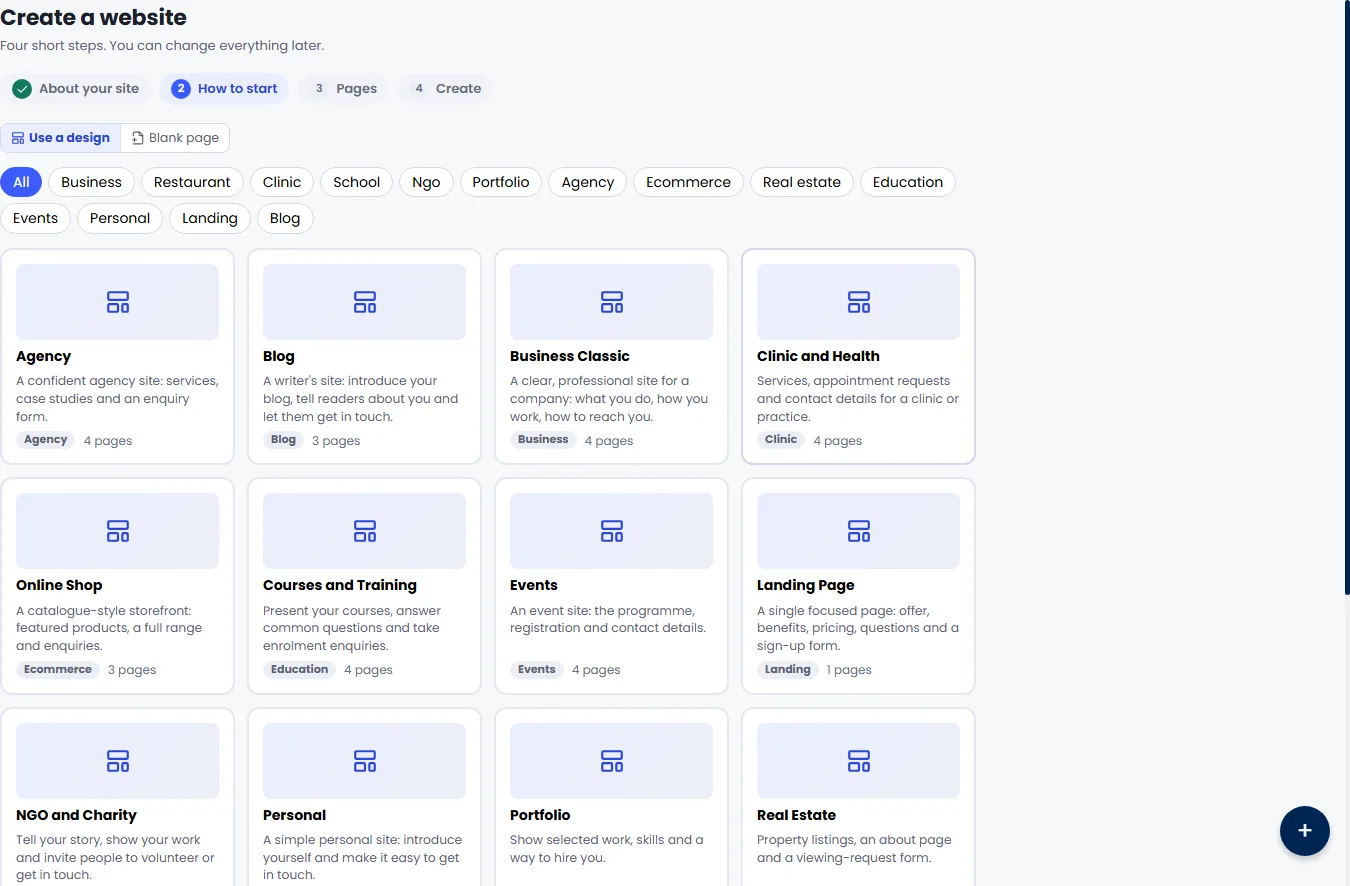
- Templates in 14 categories. Business, restaurant, clinic, school, NGO, portfolio, agency, online shop, real estate, education, events, personal, landing page and blog.
- Looks you can switch. Pick a theme preset, then change the colours and fonts for the whole site in one place.
- Pages, SEO and redirects. Set the title, description and address of each page, and add redirects when an address changes.
Before it goes live
Checks, staging and backups, so publishing is not a gamble
Before you publish, the builder checks the page for accessibility, SEO, broken links and performance problems and tells you what to fix. You can try changes on a staging copy, keep backups you can restore, and export a site or import one.
- Quality checks. Accessibility, SEO, links and performance are checked before publish.
- Staging and backups. A staging copy to try changes on, and backups with a restore button.
- Export and import. Take a site out as a file or bring one in.
- Site health. One view of what needs attention on each site.
To do
In progress
Done
More than pages
Forms, a blog, several languages, and a workspace for agencies
Forms on your site send enquiries to an inbox and into the CRM, so a visitor becomes a lead your team can answer. The blog has its own editor and an RSS feed. A site can be written in more than one language. Agencies get a workspace for client sites, with white-label options.
- Forms and enquiries inbox. Every submission is kept in an inbox and can become a CRM lead.
- Blog with RSS. Write posts, publish them, and offer an RSS feed.
- Multilingual sites. Add languages and translate each page.
- Agency and white-label workspace. Look after client sites from one place, under your own branding where the plan allows it.
How it works
How it works, in 3 steps
Choose a start
Open Websites and create a site. Pick a template that fits, or start with a blank page.
Edit and add sections
Change the text and pictures, drag in sections, and set each page's title and description.
Check and publish
Run the checks, fix what they find, and publish. Your site goes live at its platform address.
| Address | Status |
|---|---|
| Free platform address (api.zimrastudio.com/public-sites/s/your-name) | Available now |
| Your own domain (for example www.yourcompany.com) | Coming soon |
Questions
Questions about the website builder
What is the ZimraStudio website builder?
It is a visual editor for business websites inside ZimraStudio. You assemble pages from ready-made sections, run quality checks, and publish, without writing code.
Can I use my own domain name?
Not yet. Custom domains are coming soon and need an edge setup before they can work. Today a published site is served from a free platform address on api.zimrastudio.com.
How many templates and sections are there?
There are 59 ready-made sections and templates in 14 categories, from business and restaurant to NGO, school and clinic.
What do the checks before publishing look at?
Accessibility, SEO, links and performance. They list problems on the page so you can fix them, and they do not guarantee a search ranking.
Where do form enquiries go?
Into an enquiries inbox on the site, and from there into the CRM as leads, so your team handles them with the rest of your customers.
Can I restore an older version of my site?
Yes. The builder keeps backups with a restore option, and the editor keeps a history of changes.
Can an agency run sites for clients?
Yes. There is an agency and white-label workspace for looking after several client sites. How many sites and pages you can have is set by your plan.
Last updated . Checked against the product by the ZimraStudio team.
See it with your own work in it
Start a trial, or book a short walkthrough and bring a real example. We will set it up with you.
New companies start on a 14-day trial of the Growth plan.